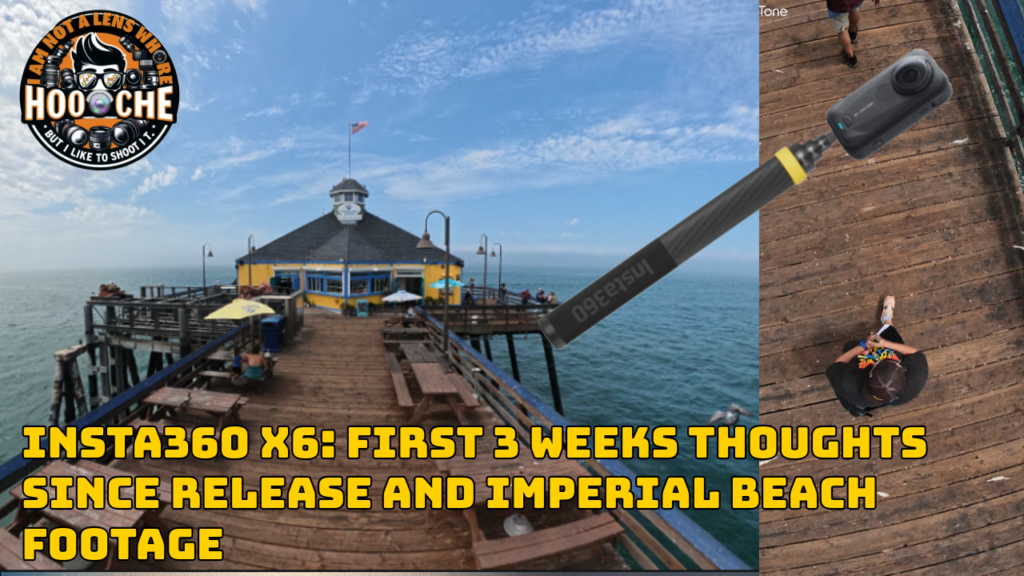
In this Article, I share my first 3 weeks of real‑world experience with the Insta360 X6 — from daily shooting to creator workflow — plus some fresh Imperial Beach footage to show how this camera performs outdoors. I cover everything from stabilization, reframing, AI edits, low‑light performance, and the overall feel of using the X6 as a creator. If you’re thinking about upgrading from GoPro or jumping into 360 cameras for the first time, this should give you a solid idea of what to expect. Shot in San Diego at Imperial Beach and Balboa Park.
Below i added the 9 minute walk i did with the camera with just the 360 footage ( 3 minutes included). As well as a my walk at Balboa Park. No edits just the video so you can check it out.
Insta360 X6: First 3 weeks Thoughts Since Release and Imperial Beach Footage:
Walk the Imperial Beach CA. Pier in 360 | Insta360 X6:
Insta360 X6: Imperial Beach Pier Time Shift (standard view vs tiny planet)
Insta360 X6: Entering Balboa Park
Balboa Park in 8K 360° w/Insta360 X6 — Look around Phone/Tablet/TV
The Lens Hooche Verdict
I really do like the Insta360 X6 — it’s a fantastic camera — but the price is definitely on the steep side. The jump from the X5 to the X6 went up by $150 USD instead of the usual $50 increase we’ve seen in previous generations, which leaves a few question marks for users like myself. From the X3 to the X5, the price only went up $50, so this new bump feels a bit aggressive. Insta360 says the increase is due to the new Sony 1‑inch sensor, and while that’s a solid upgrade, the pricing still feels a bit high in my humble opinion.
If you’re a brand‑new 360 user, though, I genuinely think you should consider this camera. The software is fantastic, and this is their sixth iteration of the product — they’ve had years to refine the workflow. It’s extremely easy to load and edit 360 content using their “AI Auto Edit” templates while you learn how to edit manually. Switching between the front and back lens is seamless, and the overall user experience is polished.
I do wish we had more internal storage to work with. You get about 47GB of usable space, and 360 footage eats that up quickly, especially if you’re shooting longer sessions. Still, as of right now, I believe this is the best 360 camera on the market — at least until the Osmo 360 II officially launches worldwide.
Despite the price and storage limitations, I love using this thing. It’s become my dedicated B‑roll camera, and it’s genuinely fun to shoot with.
Disclosure: Some of the links in this post are affiliate links. If you make a purchase through these links, I may earn a small commission, which helps support the maintenance and costs of this website. Thank you for your support! 🙌📸
Lens Hooche Reviews Newsletter
Signup for latest gear reviews and special offers!
Thank you!
You have successfully joined our subscriber list.

Marco is a photography/videography gear tester based in San Diego. He has reviewed more than 50 lenses across Sony, Nikon, and classic manual‑focus systems, specializing in real‑world testing and creative experiments.
- Marco Guzman